
Automating Invoice Generation and Delivery
Set up invoices that generate automatically on billing dates and get delivered to customers right away. We'll walk through templates, scheduling logic, and integration options with your accounting software.


RecurFlow Editorial Team
Editorial Team
Written by the RecurFlow editorial team, focused on clear, practical guidance for subscription billing and renewal management.
Why Automation Matters for Invoicing
Manual invoicing is a productivity killer. You're spending time on repetitive tasks instead of growing your business. When billing cycles run every month — or multiple times per month for different customer segments — the overhead adds up fast.
Automated invoicing fixes this. Your system generates invoices on schedule, sends them directly to customer inboxes, and logs everything in your accounting software. No mistakes. No delays. No wondering if that invoice actually went out.
For SaaS companies specifically, this is essential. You're probably managing dozens or hundreds of customers on different billing dates. Automation scales with you — one customer or five thousand, the process is identical.

Setting Up Your Automated Invoice System
Create Your Invoice Template
Start with a clean, professional template. Include your company logo, invoice number, billing period, itemized charges, and payment terms. Most billing platforms (Stripe, Zuora, Recurly) give you a template builder. You're not coding anything — just dragging fields around and choosing colors.
Set Your Billing Schedule
Define when invoices generate. Monthly on the 1st? On each customer's signup anniversary? Weekly for usage-based billing? Your billing platform handles the scheduling. You just pick the frequency and time zone. Most systems let you stagger invoices so they don't all hit your email server at midnight.
Configure Delivery Settings
Decide how invoices reach customers. Email is standard — sent automatically to the billing contact. You can also enable customer portal access so they download invoices anytime. Some systems let you send to multiple email addresses or upload to cloud storage (Google Drive, Dropbox) automatically.
Connect Your Accounting Software
Link to QuickBooks, Xero, FreshBooks, or whatever you use. When an invoice generates in your billing system, it syncs automatically to accounting. Line items, totals, customer info — all transferred. This eliminates manual data entry and keeps your books accurate.
Test Before Going Live
Send test invoices to yourself. Check formatting, verify all line items appear correctly, confirm the email arrives in spam. Test with different currencies if you serve international customers. Most platforms have a "sandbox" mode for exactly this.
Monitor and Adjust
Once live, check your dashboard weekly. Look for failed invoices, undelivered emails, or accounting sync errors. Most platforms log everything, so you'll catch problems early. After 30 days, you'll see patterns and can fine-tune timing or formatting.
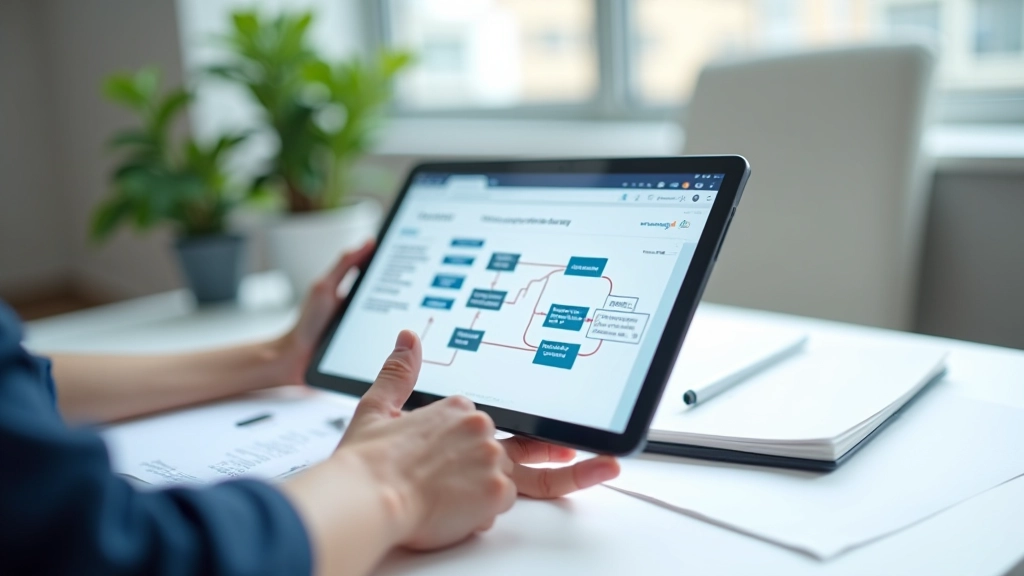
Choosing the Right Integration Points
You don't need to connect everything. Pick integrations that save you real time. If you're spending 3 hours weekly on invoice data entry, connecting to accounting software pays for itself immediately. If you're manually sending 5 invoices per month, maybe wait.
Common integration scenarios:
- Billing Email: Every platform does this. Non-negotiable.
- Billing Accounting: Essential for companies doing real bookkeeping. Saves 4-6 hours monthly per person.
- Billing CRM: Optional. Helpful if you track customer history and payment status in your CRM.
- Billing Payment Gateway: Usually built-in. Captures payment confirmations automatically.
- Billing Cloud Storage: Nice-to-have for compliance. Archive invoices automatically.
Best Practices for Invoice Automation
Time Invoices Strategically
Don't send all invoices at 3 AM. Customers check email during business hours. Morning (9-11 AM) or early afternoon (2-4 PM) in your customer's timezone gets better visibility. Spread invoicing across the month so your finance team isn't overwhelmed on invoice day.
Include Clear Payment Instructions
Your invoice template should show exactly how to pay. Bank transfer details, credit card payment link, ACH information — whatever you accept. Make it so obvious that customers don't have to email asking where to send money.
Set Up Payment Reminders
Automated invoice doesn't mean set-and-forget. Configure reminder emails at Net 15 and Net 30 if payments are overdue. Most platforms handle this automatically. It's not aggressive — it's helpful. Most late payments happen because customers forgot, not because they won't pay.
Keep Tax Details Accurate
Your invoice automation should calculate taxes correctly. If you're in Canada, that's GST/HST/PST depending on province. Set this up once in your billing platform and it applies automatically. Don't make your accounting team fix tax calculations manually.
Archive Invoices for Compliance
Store generated invoices somewhere permanent. Cloud storage, your billing platform's archive, or your accounting software. You'll need them for audits, customer disputes, and tax time. Most platforms keep invoices indefinitely, but verify your retention policy.
Test Changes Before Deployment
If you update your invoice template or change payment terms, test the change on a small customer segment first. Send test invoices to your team. Verify the email formatting renders correctly. Then roll out to all customers. Don't learn about formatting issues when customers complain.
Popular Platforms for Automated Invoicing
You don't need a dedicated invoice tool. Most subscription billing platforms handle this built-in. Here's what's common:
Stripe Billing
Invoice generation is built-in. Customizable templates, automatic email delivery, syncs to your Stripe dashboard. Free to use if you're already on Stripe. Good for startups and growing SaaS.
Zuora
Enterprise-grade billing. Handles complex scenarios like multi-currency, revenue recognition, and tax compliance. Invoice automation is seamless. Steep learning curve and pricing — better for companies doing $1M+ annual recurring revenue.
Recurly
Mid-market focused. Strong invoice customization, built-in dunning management for failed payments, integrates with major accounting software. Good balance of features and simplicity.
QuickBooks Online
If you're already in QuickBooks, you can automate invoicing there. Limited compared to dedicated billing platforms, but convenient if you're a small business doing simple monthly billing.
Xero
Similar to QuickBooks. Has invoice templates and can send automatically. Works well for service businesses with simple recurring billing. Integrates with Stripe and other payment gateways.
Wave
Free invoicing and accounting software. Bare-bones compared to paid options, but genuinely free. Invoice automation is basic but functional. Good for freelancers and small businesses on a budget.
Getting Started With Invoice Automation
You don't need to overthink this. Pick a billing platform with invoice automation (most have it), create a clean template, set your schedule, and test. Once it's running, you'll free up hours every month that you can spend on actual business work.
Start simple. Invoice generation + email delivery. Then layer on integrations with accounting software once you're comfortable. Most teams get everything dialed in within a week. The payoff — no more manual invoicing ever — makes it worth the setup time.
The key is to avoid surprises. Test thoroughly, monitor your dashboard regularly, and adjust based on what you learn. Automation works best when it's set up right the first time.
Disclaimer
This guide is for informational purposes only and doesn't constitute legal, financial, or tax advice. Invoice automation requirements and tax treatment vary by jurisdiction, business type, and customer location. We strongly recommend consulting with a qualified accountant or tax professional about your specific invoicing setup, especially regarding tax compliance, currency handling, and regulatory requirements in your region. Billing platform features and integrations change frequently — always verify current capabilities directly with your provider before implementation.
Related Articles

Understanding Recurring Billing Models for SaaS
Learn the difference between monthly, annual, and usage-based billing. We'll break down when each model works best.

Handling Failed Payments and Retries
Payment failures happen. This guide covers automatic retry logic, dunning management, and recovery strategies.

Compliance and Tax Reporting for Recurring Revenue
Recurring billing creates unique tax and compliance challenges. We'll walk through Canadian requirements and reporting.